
How To Make Baldi Dithering With Paint.NET (Including The Test's)
A downloadable project
The Tutorial Begins Now!
1st: Download Paint.NET, you need it for this tutorial
2nd: Open your image
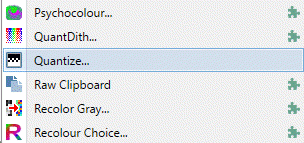
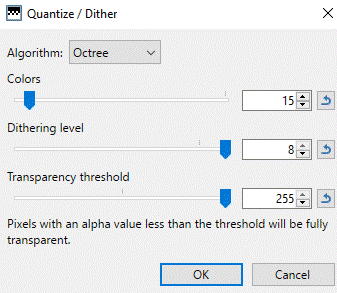
3rd: Select the option Color-Quantize And Put The Settings Below (Baldi)
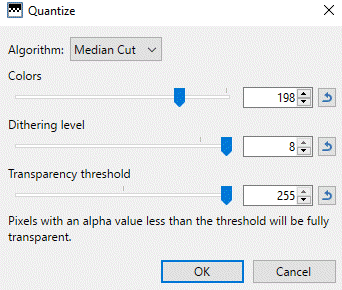
For the bully
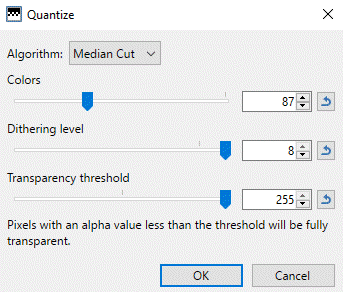
And for the principal
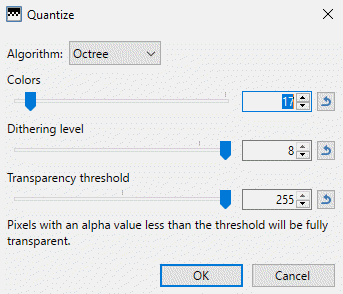
But You Came Here For The Test, Didn't You? Well, Here It Is
Download this Paint.NET plugin
Then, watch this tutorial, it is a DLL file, btw

Then get your image
Then the plugin is in Effects-Photo
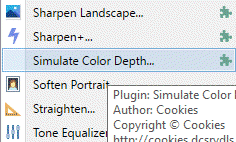
Then, put these settings
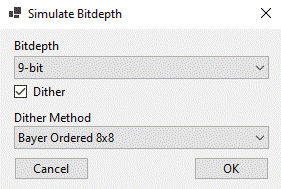
Also, an optional one 0th prize (harder than the others but still easy) (not fully accurate)
Set your dithering options to this
Delete the parts selected and put the tolerance to 13
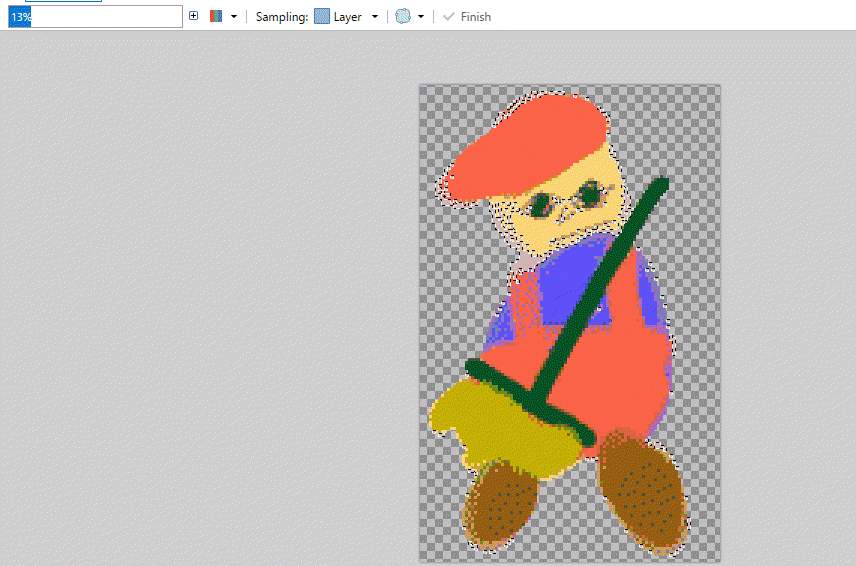
BOOM! You are done. Credits are optional but recommended cuz i took a long time making this, and you are welcome




Leave a comment
Log in with itch.io to leave a comment.